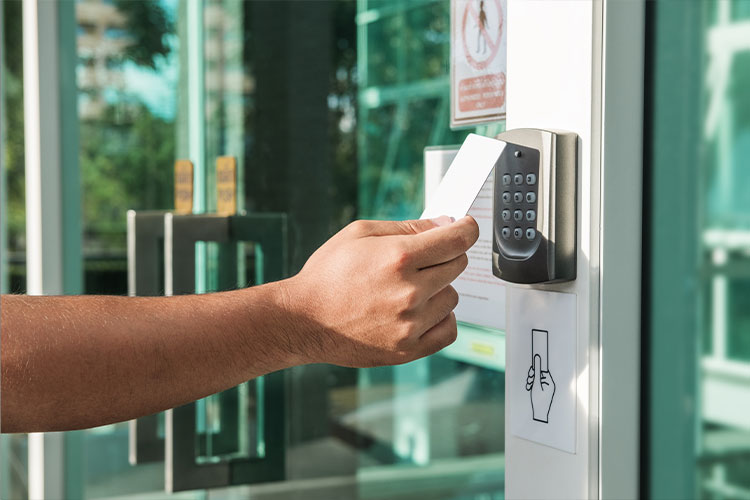
Security Starts at the Door
If you’re serious about protecting a building, access control hardware is your first line of defense. It prevents unauthorised entry while keeping movement smooth for approved users. But with so many commercial security options available, choosing the right setup can feel overwhelming. This guide breaks down the essentials so you can choose the right door access system for your site.
Readers and Sensors
Readers are the authentication devices that verify identity before unlocking a door. The right reader depends on your security level, traffic volume, and budget.
RFID Card Readers
- Uses contactless cards, fobs, or mobile credentials.
- Common in offices, schools, and parking facilities.
- Low cost, fast entry, and easy to deploy.
- Security note: Unencrypted cards can be cloned — choose high-frequency encrypted formats for better protection.
Biometric Readers
- Uses fingerprints, facial recognition, palm vein, or retina scans.
- Eliminates lost badges — the user is their credential.
- Ideal for high-security sites and multi-factor authentication.
- Higher cost and may require routine firmware updates.
Keypad Readers
- Users enter a PIN instead of tapping a card.
- No physical credential required — simple and durable.
- Weakness: PINs can be shared or observed, lowering overall security unless rotated regularly.
Locks and Door Hardware
Even the smartest reader is useless without the right electronic door lock behind it. These are the most common types used in access control systems:
Electric Strikes
- Replaces the standard door strike plate.
- Works with card readers, keypads, or intercom systems.
- Ideal for exterior doors that must remain locked but allow rapid authorized entry.
- Available in fail-safe and fail-secure configurations.
Magnetic Locks (Maglocks)
- Uses a powerful magnet to secure the door.
- Great for glass storefronts, interior entrances, and emergency exits.
- Requires constant power — if the power fails, the lock releases.
- Works best when paired with request-to-exit sensors.
Electric Bolts
- Motor-driven locking bolt — high security, low traffic.
- Often used on server rooms, vault doors, and restricted zones.
- Strong lock strength but slower operation than strikes or maglocks.
Turnstiles and Barriers
- Used for crowd control and anti-tailgating protection.
- Common in stadiums, transport hubs, offices, and data centers.
- Best results when integrated with RFID or biometric systems.
Controllers (The Brains of the System)
Controllers process credentials and decide who can enter and when.
Access Control Panels
- Centralized hardware controlling multiple doors.
- Integrates with alarms, CCTV, intrusion detection, and fire systems.
- Requires redundancy — if the main panel goes down, the entire system can fail.
Door Controllers
- Dedicated control for one or a few doors.
- Useful for standalone setups or remote entry points.
- Often used in small offices, retail stores, and gated entries.
Networked or IP Controllers
- Connect via internet or LAN for real-time management.
- Ideal for multi-site access control systems.
- Supports cloud-based dashboards and remote credential changes.
- Must be secured against cyber attacks and network intrusion.
Software and Interfaces
The hardware enforces access — the software controls it.
Access Control Management Software
- Sets permissions, schedules, and groups.
- Logs every entry and integrates with CCTV for visual verification.
- Cloud platforms allow remote access from any device.
- Look for intuitive dashboards that reduce administrative burden.
User Management and Permissions
- Controls who can enter which doors, and during what time windows.
- Supports temporary access, contractor badges, and visitor management.
- Must be updated regularly to remove former employees or expired credentials.
Integration with Other Security Systems
A modern access control platform should connect with:
- Video surveillance (CCTV)
- Alarm systems
- Intercom or video entry systems
- Emergency lockdown procedures
Linking access events to cameras creates real-time security intelligence and faster incident response.
Installing access control hardware ->
Hardware requirements for different system types ->
Maintaining and troubleshooting access control systems ->
Access control hardware is more than just electronic locks and swipe cards — it’s the foundation of a secure facility. The right system balances security, convenience, scalability, and cost. Whether you’re protecting an office, warehouse, school, or high-risk government site, the right door access system makes all the difference.
Choose reliable hardware, keep your software updated, and continuously review user permissions. A strong physical access control strategy stops intruders at the door—before they become a threat.