Access control is no longer just about keeping doors locked—it’s about managing who can enter your building, access your systems, and interact with your data. Whether you’re securing a single office or multiple facilities, the right access control system determines how effectively you protect people, assets, and sensitive information.
This guide breaks down every major type of access control system—including physical, digital, biometric, and cloud-based options—so you can choose the best solution for your business.
Access control is the process of determining who can access a resource, when they can access it, and how they are verified. It applies to:
Every modern security program includes both physical and logical access control.
Explore more on how access control systems work ->
Physical Access Control Systems regulate entry to physical locations such as buildings, secure rooms, and gated areas. They rely on a combination of hardware (locks, readers) and software (permissions, logs).
Common PACS components include:
The true value of PACS isn’t just in preventing unauthorised entry—it’s in tracking who accessed what and when, creating an auditable security trail.
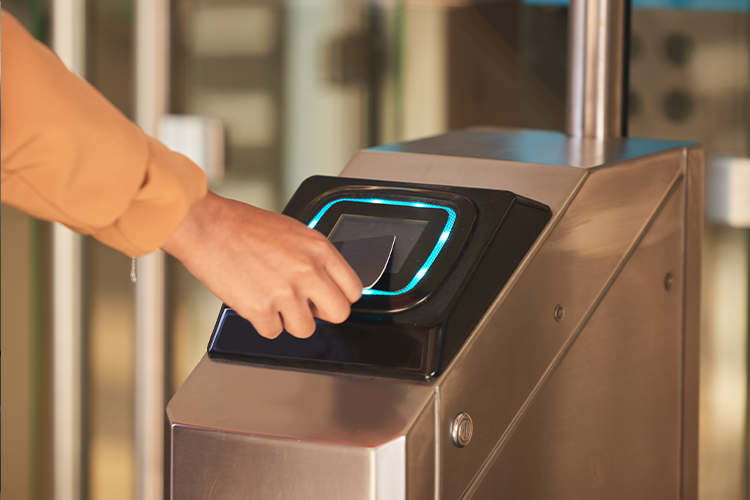
Card systems are the most widely used access method in offices, commercial buildings, and universities.
| Card Type | How It Works | Security Level |
|---|---|---|
| RFID Proximity Cards | Tap or wave near reader | Moderate |
| Magnetic Stripe Cards | Swipe through reader | Low |
| Smart Cards | Store encrypted credentials | High |
If your system still uses magnetic stripe cards, it’s time to upgrade.
RFID and smart cards are harder to clone and support modern encryption standards.
Biometrics replaces “something you carry” with “something you are.”
Benefits:
✔ Eliminates lost or shared access cards
✔ Impossible to forget your credentials
❗ Raises privacy and compliance considerations (GDPR, biometric laws)
Learn more on advanced access control technologies such as biometrics ->
Keypad systems grant access based on a numeric code.
Pros:
Cons:
Best use case: internal low-risk doors or as part of multi-factor authentication (MFA).
Modern systems now operate through secure wireless networks instead of hardwired panels.
Important: Wireless access control must use strong encryption and Zero Trust network principles to avoid cyber exploitation.
Physical access is only half the story. Companies must also restrict access to computers, networks, and applications.
RBAC assigns permissions based on job role, not individual users.
Example:
RBAC reduces human error and supports compliance with ISO 27001, SOC 2, HIPAA, PCI, and other frameworks.
Not all threats walk through a door—many attack through your network.
Core components include:
SSO allows users to log in once and access multiple apps.
Benefits:
Risk:
❗ If an SSO account is hacked, every connected system may be compromised.
Best practice: always pair SSO with MFA.
MFA requires two or more of the following:
MFA is now considered mandatory for modern cybersecurity and many insurance + compliance requirements.
IAM platforms manage user identities and permissions across your entire organization.
Capabilities include:
IAM ensures that:
The right people have the right access at the right time—and only for as long as needed.
How to Choose the Right Access Control System
Business Need Best Technology Low-security offices Keypads or RFID cards High-security facilities Biometrics + MFA Multiple buildings / remote sites Cloud-based or wireless PACS Compliance requirements IAM + RBAC + audit logging High user turnover Smart cards or mobile credentials with auto-revoke
Learn about core access control capabilities ->
🚫 Relying only on passwords
🚫 Not removing access when employees leave
🚫 Keeping outdated magnetic stripe systems
🚫 Using shared PINs
🚫 Treating physical and digital access separately
Modern security requires unified access control across facilities, networks, and applications.
Access control is more than a lock on a door—it’s a core part of your risk management strategy. Whether you’re deploying RFID badges, biometric readers, or a full IAM platform, the goal remains the same:
➡ Only authorized people should gain access—physically and digitally—while everyone else is blocked.
If your organisation still relies on outdated technology or manual access processes, now is the time to modernise. A weak access control system isn’t just inconvenient—it’s a liability.

Head Office
18-20 Millbrook Road East,
Southampton, Hampshire, SO15 1HY
Tel: 0800 799 9800
Email: info@veritech-security.com
Hours: Monday - Sunday: Open 24 Hours

© 2026 Veritech Security is a trading name of Veritech Systems Limited | Company Registration No. 07095234 | Social Responsibility Policy | Sitemap | Privacy Policy | Policies and Procedures | Veritech Systems Limited holds SIA approved contractor status for Security Guarding, CCTV and Keyholding security services.
Simply complete our quick survey below
