

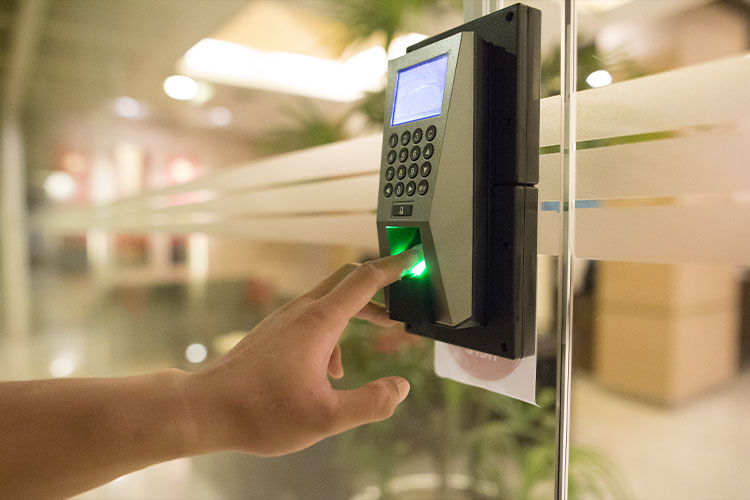
Installing an access control system is more than putting readers on doors—it’s a critical security deployment that affects safety, compliance, and daily operations. Done right, it prevents unauthorised entry, reduces risk, and keeps your building running smoothly. Done wrong, it causes system faults, user frustration, and expensive rework.
This guide walks you step-by-step through professional access control installation—from planning and site surveys to wiring, configuration, and testing—so you avoid common mistakes and build a reliable, scalable system.
A modern access control system protects people, property, and data by managing who can enter, where they can go, and when access is permitted.
Incorrect installation leads to:
A professional installation eliminates these risks and ensures long-term reliability.
A successful installation starts with a clear plan. Before any drilling or wiring begins, define:
Offices, warehouses, server rooms, residential blocks, car parks, or multi-site facilities?
Employees, visitors, contractors, or tenants—all may require different credentials and schedules.
Include: Hardware + Installation + Software + Licensing + Maintenance
Choosing the right access control hardware ->
Skipping this phase leads to oversized systems, bottlenecks, and cost overruns.
Every building has different structural, compliance, and networking requirements. A proper site survey should document:
This is where most failed installations begin—by guessing instead of surveying.
Not every door needs electronic access control. Prioritise:
Segment users by role:
Over-securing every door increases cost without improving safety.
A smooth installation follows a structured method:
Poor placement = bad user experience and avoidable failures.
Reliable wiring prevents 90% of future issues.
Wired networks remain more stable than Wi-Fi for access systems.
This stage determines whether the system will run smoothly or break under pressure.
Never assume it works—force it to fail so you know what happens.
Installation considerations for data privacy ->
Fix these early to save weeks of troubleshooting later.
Best practices for system maintenance ->
☑ Site survey completed
☑ Door hardware selected
☑ Network & power verified
☑ Cabling secured and labelled
☑ Controllers and locks connected
☑ Fail-safe/fail-secure logic set
☑ User permissions configured
☑ System tested under fault conditions
A properly installed access control system keeps people safe, simplifies building security, and prevents operational disruption. Get the planning right, install hardware correctly, and test everything—and your system will work day after day without headaches.

Head Office
18-20 Millbrook Road East,
Southampton, Hampshire, SO15 1HY
Tel: 0800 799 9800
Email: info@veritech-security.com
Hours: Monday - Sunday: Open 24 Hours

© 2026 Veritech Security is a trading name of Veritech Systems Limited | Company Registration No. 07095234 | Social Responsibility Policy | Sitemap | Privacy Policy | Policies and Procedures | Veritech Systems Limited holds SIA approved contractor status for Security Guarding, CCTV and Keyholding security services.
Simply complete our quick survey below
