

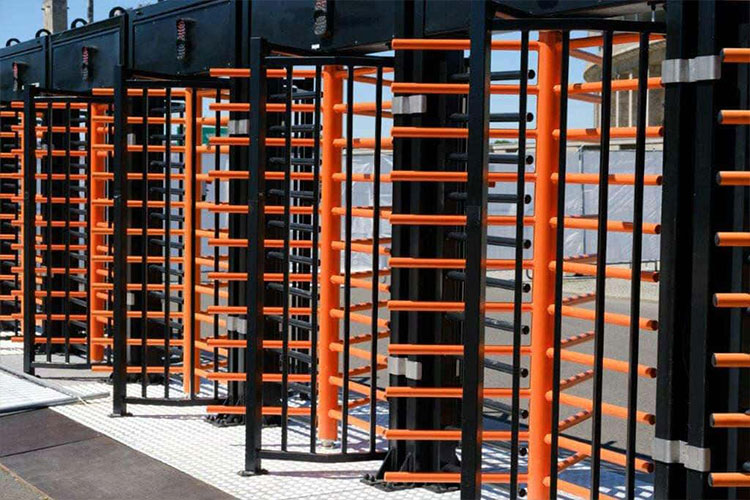
Access Control: Maintenance and Troubleshooting

Turnstile Access Control

Is Your Access Control System Working Like It Should?

Security isn’t just about installing and calling an access control system a day. If the system fails, your business is left vulnerable. The doors won’t lock. Readers won’t scan. Employees can’t get in. Worse, unauthorised people might be able to. That’s a serious problem.

Regular maintenance and quick troubleshooting aren’t just lovely—they’re necessary. If you’re running an access control system, here’s what you need to stay on top of.


Regular Maintenance Requirements

Neglecting maintenance is how minor problems turn into expensive failures. To avoid downtime, make these tasks part of your routine:

  • Check all readers and keypads – Are they responding correctly? Do they beep or flash inconsistently?
  • Inspect door locks and strikes – Any delays or resistance? That’s a red flag.
  • Test user credentials – Ensure all registered fobs, cards, and mobile credentials work.
  • Review access logs – Look for unusual activity that might signal a system issue.
  • Backup system data – If the system crashes, you don’t want to lose your configurations.

Stay ahead of problems instead of scrambling to fix them.


Software Updates: Don’t Ignore Them

Outdated software is a security risk. Updates aren’t just about adding new features; they also fix security holes and improve performance.

  • Enable automatic updates – If your system allows it, use it.
  • Manually check for firmware updates – Some manufacturers don’t push updates automatically.
  • Test after updating – Never assume an update won’t cause conflicts with existing settings.
  • Keep security patches up to date – Cyber threats evolve. Your system should, too.

Skipping updates makes you an easy target for breaches and malfunctions.


Hardware Inspections and Replacements

Readers, locks, control panels—hardware wears out. Inspect your equipment regularly to catch issues before they cause a security breach.

  • Card readers—Dirt, wear, or damage can prevent them from working. Clean them with a soft cloth and isopropyl alcohol.
  • Electric locks and strikes – Test for proper locking and unlocking. If they’re sluggish, they might need lubrication or replacement.
  • Control panels – Check for loose wiring or signs of overheating.
  • Cables and power connections – Faulty wiring can cause unexpected failures.

If something looks worn out, replace it before it stops working completely.


Battery Management for Wireless Systems

Wireless access control devices rely on batteries. Dead batteries = locked out staff. Stay ahead of it.

  • Schedule battery checks – Every three to six months.
  • Use high-quality batteries – Cheap ones don’t last.
  • Monitor battery levels – Some systems alert you when power is low. Don’t ignore those warnings.
  • Keep spares on-site – Avoid last-minute trips to the shop.

If a lock or reader suddenly stops working, the battery is often the first to check.


Troubleshooting Common Problems

System Downtime: What’s Going On?

If your access control system stops working entirely, check these first:

  1. Power supply – Is it plugged in and receiving power?
  2. Network connection – Wired or wireless, make sure the system is online.
  3. Software status – Recent updates or changes might have caused a bug.
  4. User database – If credentials aren’t recognised, the database may have a problem.

Still stuck? Restarting the system solves more problems than you’d think.

The reader or Lock Malfunctions

If a door won’t unlock, look at:

  • Credential issues – Expired key cards or fobs?
  • Physical damage – Scratched or worn-out readers won’t scan properly.
  • Power supply – Hardwired locks need a steady flow of power.
  • Wiring – Loose or corroded connections can cause failures.
  • Software settings – Was access accidentally revoked?

No need to overcomplicate things. Work through these steps, and you’ll likely find the issue fast.

Network Connectivity Issues

Many access control systems rely on a network connection. If your system loses connection, it can mean serious disruptions.

Check the basics first:

  • Router and switch status – Are there any errors or connection drops?
  • Cabling – Damaged cables lead to intermittent failures.
  • IP settings – Has the IP address changed? Is there a conflict?
  • Firewall rules – Some security settings block access control software from communicating correctly.
  • Cloud-based systems – If your system runs on the cloud, check the provider’s status page for outages.

Most network problems aren’t complicated. They require a systematic check.


Stay Ahead, Stay Secure

An access control system is only as reliable as its maintenance. Regular checks, quick troubleshooting, and keeping up with updates keep things running smoothly.

When you ignore these tasks, you’re setting yourself up for a security failure. Stay proactive, fix small problems before they escalate, and your system will do its job—keeping your premises secure 24/7.

Our Quick Quote Request

Simply complete our quick survey below

Step 1
Step 2
Step 3
Submit
Select a Property Type*

If your property is not a commerrical property, please call us on 02380 000 400

Select your Services*
Are you looking to upgrade an existing system, or install a new one?
Make an enquiry